

CMD
PowerShell
Git Bash
WSL
..::: IDEAL FOR :::..
What to expect
KickUp aims to be the best terminal GUI available.
It features a powerful, built-in terminal with a visual interface on top, designed for quickly navigating folders and running commands.
By storing these in the app, KickUp lets you instantly reuse them in the terminal whenever and wherever they are needed.
This saves you valuable time.
🚀 Quick launch AI agents like Claude, Codex or Copilot in the right repo.
❌ Stop typingcd C:\Repos\my-project40 times a day.
💡 KickUp knows your repos, knows your shells, and runs your AI agents where they belong.
Download now from Microsoft Store.
Learn the basics
📂 Scan project folders 🚀 Run commands from there
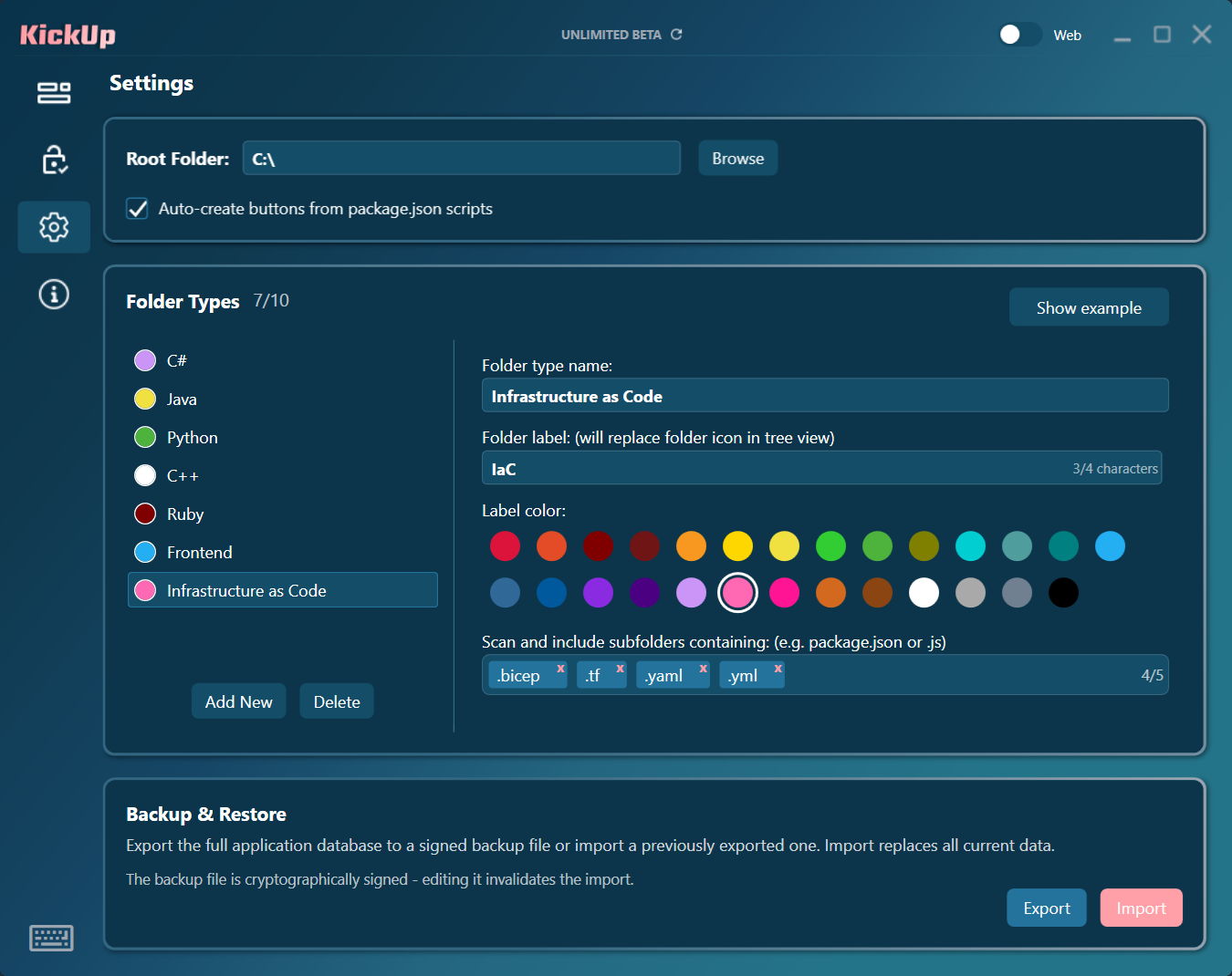
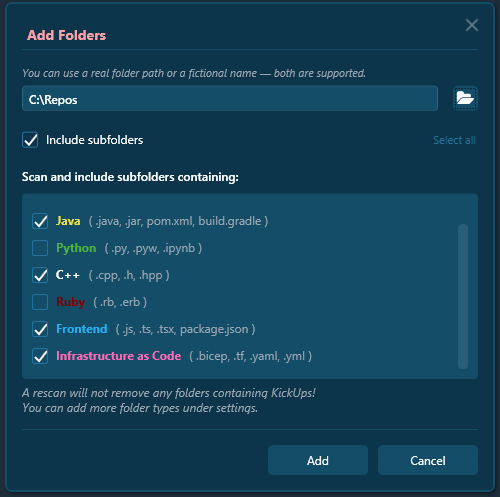
KickUp has a smart folder-scanning feature to collect project folders.
For example:
Find important folders with a package.json file to identify frontend root,
while searching for .sln files to locate backend projects.
It’s incredibly easy, fully modular. You set the rules!
🎨 Create Buttons 🫳 Movable & Customizable
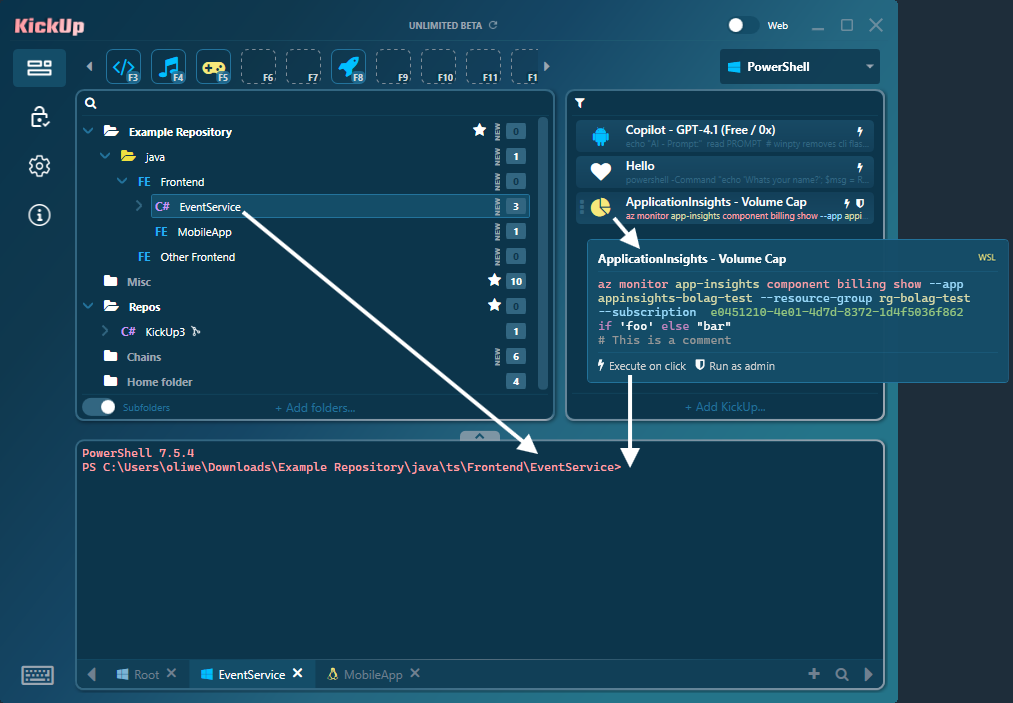
Save your complex CLI commands as buttons (KickUps) and move them between your folders using drag-and-drop.
You can also drop them into an empty slot in the QuickStart menu at the top to pin favorites.
❌ Skip cd and set-location
The command button can be locked and executed directly in the folder where it’s located.
Tabs in KickUp automatically opens and rename themselves based on their location, no matter which shell you’re using!
And if you need a fresh terminal – Just double-click a saved folder or click the plus icon.

…Want to know more? 😉
🔹Terminal tabs also blink on background activity to indicate new output when not in focus.
🔹You can search across multiple tabs using CTRL+F or use the magnifier icon.
🔹The terminal is smart and automatically decides whether to reuse the current tab or open a new one for your KickUp command.
Create
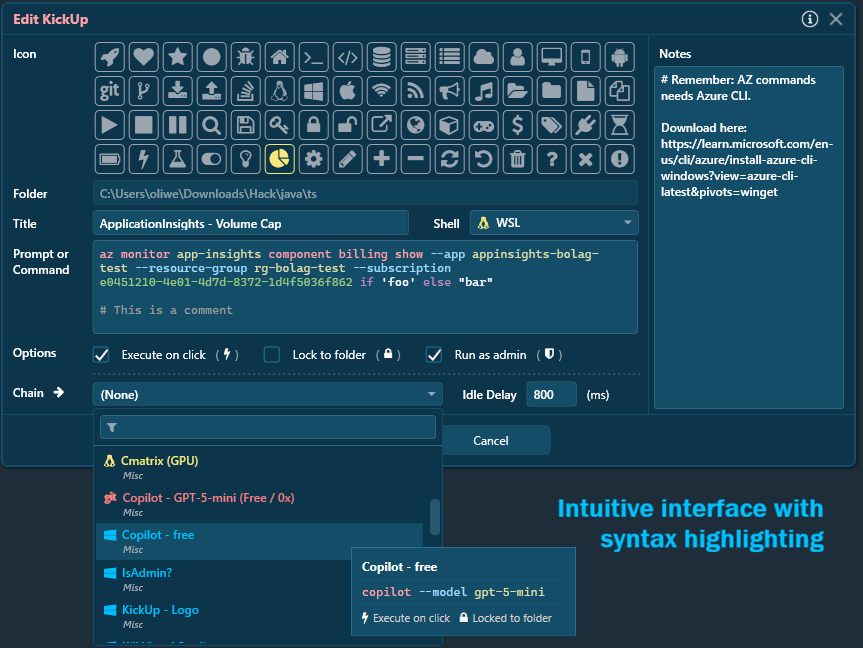
- Pick an icon
- Set a button title
- Write your syntax highlighted command
- Set needed terminal shell from list
- Lock the command and execute it in the folder where it’s located
- Elevate: Run as admin
- Add important notes
Chain them
- …then: Easily build chains from your saved KickUps.
- Execute an entire chain with just one click.
- Delay next link
- Chain opens terminal tabs across multiple folders and shells – all according to your settings.
Install via CLI
winget install kickup --source msstoreAdditional Shells
winget install --id Microsoft.PowerShell --source wingetwinget install --id Git.Git -e --source wingetwsl --installPricing
Base
100% Free (but limited)
Unlimited – Monthly
$3.99
Unlimited – Yearly
$39.99 Best deal!
Unlimited – Lifetime
$149.99
Subscriptions are handled by the Microsoft Store and can easily be canceled at any time.
Your license plan is purchased directly in the app.
Frequently Asked Questions
Our own terminal, Termila. A powerful terminal built on ConPTY and Xterm, written in C#.
Termila supports GPU acceleration, OSC 7, text search across multiple tabs, clickable links, images, and emojis (e.g., you can paste an image from your clipboard directly into the terminal – perfect for AI services).
The app is exclusively developed for Microsoft Windows (x64). Currently, there are no plans to support additional operating systems.
Some additional terminal shells may need to be installed separately.
Open source is great, but it’s not the only way to build trust. KickUp is distributed through the Microsoft Store, where apps are validated and certified before release for security, privacy, and reliability. For many users, that built-in verification provides the trust they’re looking for.
Yes! Everything in KickUp is free, with no registration or payment information required. However, there is a limit to how many folders (3) and KickUp buttons you can create (10) with the “BASE” plan.
If you enjoy the app and it saves you time in your work, we hope you’ll consider the Unlimited-plan.
You can easily upgrade through the “Subscription” section within KickUp. All payments are processed through Microsoft’s secure ecosystem.
You can cancel your subscription at any time.
CONTACT
